
Sign-in, done
Email and password with verification codes, password reset, Google and GitHub sign-in, passkeys, sign-in codes by email, guest accounts, and 2FA with an authenticator app. Sessions you can see and end.
How sign-in works
Seed is the free SaaS starter built on web standards: sign-in and two-factor authentication (2FA), groups with roles, per-member Stripe billing, realtime, an offline app and an admin area. It is MIT-licensed, runs on Deno today, and deploys with Docker Compose to one Linux server you rent.
No sign-up. You get a guest account with demo data, and it's wiped every night. Seed is usable today, built in public: see what works.
What you get
Each part below works today and is tested in CI. Google and GitHub sign-in and Stripe billing need your own keys, so they are off in the demo.
Email and password with verification codes, password reset, Google and GitHub sign-in, passkeys, sign-in codes by email, guest accounts, and 2FA with an authenticator app. Sessions you can see and end.
How sign-in worksStripe subscriptions per group: a free plan with limits, a paid plan per member, trials, a grace period when a card fails. The owner confirms the price before each invite.
How billing works
Changes reach every open tab over a WebSocket. The app installs, opens without a network, queues writes and shows a conflict instead of overwriting someone's work.
How realtime and offline work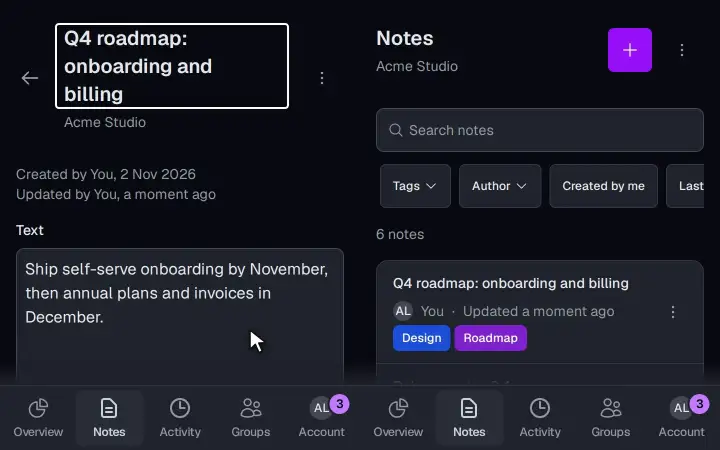
Every account gets a group at sign-up. Invite people, give them roles from viewer to owner, hand ownership over, and restore a deleted group within 30 days. Each group has an overview of its key numbers.
How groups work
Operators find a person, manage groups, refund a payment and check the system's health. It runs on its own host; risky actions ask first, and every action is logged.
Tour the admin panelThis site: server-rendered, works with JavaScript turned off, in nine languages, with pricing from your plan catalog, legal pages and a double opt-in newsletter.
What the website includesRuns on one server you rent
docker compose, no surprise bills.Seed runs on any Linux server you rent. Compose starts the API, the worker, the web app, Postgres, Valkey and Traefik with automatic certificates. Metrics and logs go to VictoriaMetrics and VictoriaLogs with Grafana on top, and a backup container saves an encrypted copy of the database every day. Several products can share one server. Nothing bills you per request, so a traffic spike costs you nothing extra.
Skip Seed if you want serverless functions or Vercel: it is built for a server you control.
Quick start
You need Deno 2 and Docker; the GitHub CLI is optional.
init copies the env file and generates every secret and the web push keys; dev starts Traefik and everything else. Then open http://app.localhost. The README lists every setting and how to deploy.
Or ask your AI agent: Create my new product "Acme" from https://github.com/spy4x/seed and run it locally.
Honest status
Seed is usable today, built in public. Here's exactly what works and what doesn't yet.
I'm Anton, the person who builds Seed. Founders hire me to turn an idea into a live product that people can sign up for and pay for. Because sign-up, groups and payments already exist, your budget goes to what makes your product different.
Who builds Seed
I'm Anton Shubin, a senior full-stack engineer and tech lead, freelancing since 2013. Seed is the groundwork I kept rebuilding for clients, pulled into one repository. I use it for paid MVPs, so it gets fixed when it breaks. If something is missing for your product, open an issue or write to me.
Questions
Yes. “Try the live demo” opens the app in a guest account with demo data, no email or password needed. You can add a sign-in method, but the demo is still wiped every night. Seed itself needs no account at all: clone it from GitHub.
Yes. It is MIT-licensed: use it for any number of products, commercial or not, publish your fork, no account needed. You pay only for one server you rent and for services you turn on, such as Stripe or an email provider.
They run on web standards (fetch, Request, Web Crypto, ES modules), start fast and need few dependencies, so there is less to update and less that breaks. If you work in the Next.js ecosystem, a Next.js starter will suit you better; the comparison names good ones.
Yes. MIT allows it, and that is how I use it. Your client needs no licence of their own.
The parts listed under "Works today" have tests in CI: every pull request runs the sign-in, profile, notes and groups tests, and the full suite runs after each merge. Seed is usable today and still growing; read the status list before you rely on a part.
The demo is the app you get on day one. Open it without signing up: your guest account starts with sample data.